by Screens PeoPle
Share
by Screens PeoPle
Share
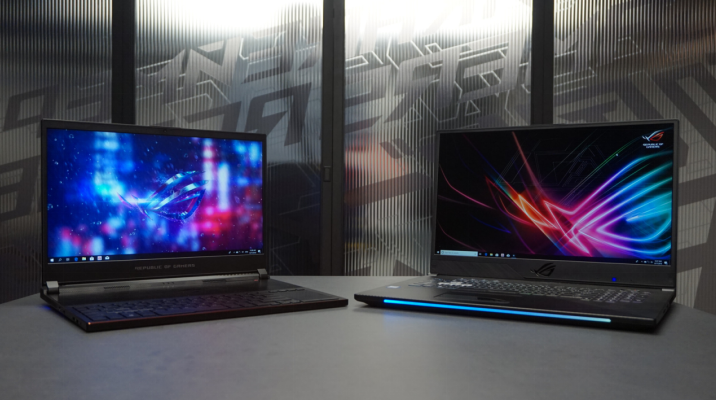
Does a Higher Refresh Rate (120Hz/144Hz) Matter for Non-Gamers?
A higher refresh rate can matter for non-gamers, but it is not required. It makes scrolling, cursor movement, and window motion look smoother on many laptops. The value depends on your work, battery needs, and display quality.
What Does Refresh Rate Mean?
Refresh rate means how many times the screen updates each second. A 60Hz screen updates 60 times, while 120Hz updates 120 times.
A 144Hz screen updates even more often when the system can support it. More updates can make motion look smoother and reduce visible blur.
Refresh rate is different from resolution, brightness, and panel type. A sharp screen can still feel less smooth if it runs at 60Hz.
How Does Higher Refresh Rate Help Daily Use?
Higher refresh rate can make scrolling through pages and documents feel smoother. It can also make the mouse pointer and window movement feel more direct.
People who read long pages may notice smoother motion when scrolling quickly. Designers and editors may like smoother timeline movement and cleaner tool motion.
The change can feel subtle at first if you are used to 60Hz. After using 120Hz, some users notice 60Hz feels less smooth.
Do Non-Gamers Really Need 120Hz or 144Hz?
Most non-gamers do not need a high refresh rate for basic work. Email, writing, spreadsheets, and video calls work well on 60Hz screens.
However, smoother motion can make a laptop feel more modern and responsive. It is a comfort feature, not a must-have feature for everyone.
If you mostly read static pages, the difference may not justify extra cost. If you scroll, multitask, or use creative software often, it may help.
What Are the Downsides?
Higher refresh rate can use more battery because the screen updates more often. Some laptops reduce refresh rate automatically to save power when unplugged.
It can also cost more, especially with high resolution or premium panels. A poor 144Hz panel can still have weak color, brightness, or viewing angles.
You should compare the full screen quality, not only the refresh number. Resolution, brightness, panel type, and color quality still matter for daily use.
What Laptop Users Benefit Most?
Writers may not need 144Hz, but smoother scrolling can help long research sessions. Students may also enjoy cleaner movement when switching between notes and browsers.
Office users who manage many windows can feel smoother dragging and resizing. The benefit is small, but it can make the laptop feel more polished.
Design users may prefer smoother canvas movement, zooming, and tool panels. A high refresh screen helps most when the software also runs smoothly.
If you mainly watch videos and write emails, 60Hz remains enough. Put more budget toward brightness, color, battery life, or storage instead.
Try a 120Hz display in person when possible before paying extra.
Frequently Asked Questions
Does 120Hz Help With Movies?
Most movies do not need 120Hz because they use lower frame rates. The benefit is clearer during scrolling, pointer movement, and some app animations.
Does Higher Refresh Rate Reduce Eye Strain?
It may feel more comfortable for some users during motion-heavy tasks. Eye comfort also depends on brightness, glare, flicker, and viewing distance.
Can I Upgrade My Laptop to 144Hz?
Some laptops support a higher refresh panel, but many do not. The cable, connector, firmware, and graphics system must support the upgrade.
Conclusion
Higher refresh rates can improve smoothness for non-gamers, especially during scrolling and multitasking. They are useful comfort features, but they are not required for basic work. If you want to replace a damaged screen or explore upgrade options, Screens People can help you compare laptop LCD screens for your model.
STAY IN THE LOOP
Subscribe to our free newsletter.
Leave A Comment

Vertical or horizontal lines on a laptop screen happen when [...]

Replacing a laptop screen yourself can be easy or difficult [...]
A 4K screen can be worth it on some 13-inch [...]
You find the exact replacement part number for your screen [...]